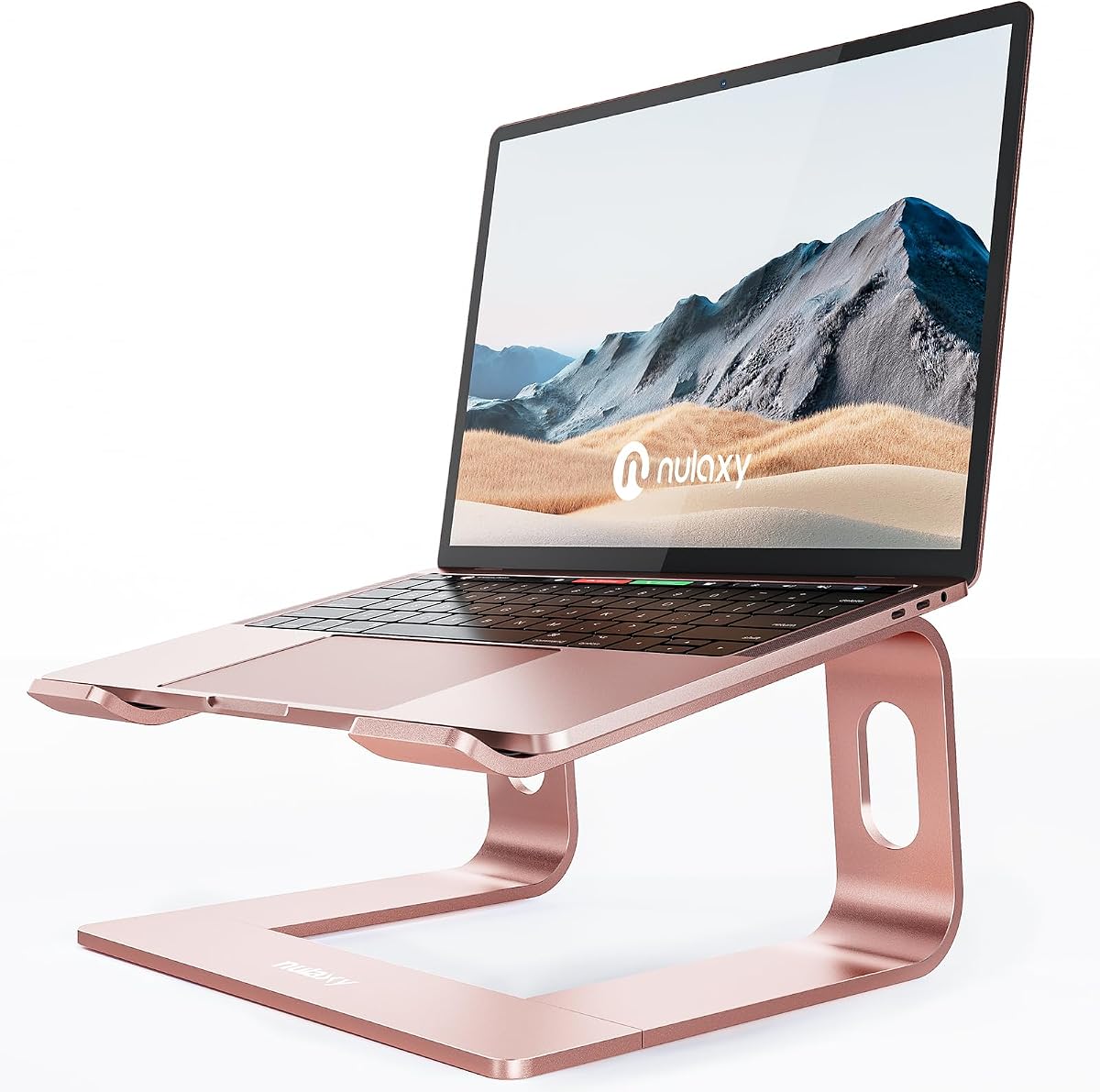
Nulaxy Full Aluminum Laptop Stand
4.8Editor score
Supports up to 22 lbs
Rose gold aesthetic finish
Superior heat dissipation
Finding the perfect girly laptop stand means balancing style with serious functionality. You want something that looks great on your desk but also protects your posture during long work sessions. A good stand elevates your screen to eye level, reducing neck strain while adding a pop of color to your setup.
We have carefully reviewed ten highly rated options that blend pink, rose gold, and sleek aesthetics with durable construction. Each product was evaluated for stability, compatibility, cooling efficiency, and overall design appeal. This list covers everything from budget-friendly portable picks to premium ergonomic solutions for home offices.
Every pick below showcases unique features like adjustable angles, foldable designs, or built-in storage to suit your specific needs. Prices and availability can change frequently, so please check the current listings before purchasing. Our goal is to help you find a stand that boosts productivity without compromising your personal style.
4.8Editor score

4.8Editor score

4.3Editor score
As an Amazon Associate we earn from qualifying purchases.
This side-by-side comparison highlights the key specifications of our top ten picks. We focus on build material, weight capacity, adjustment options, and compatibility to help you decide quickly which stand fits your desk and device best.

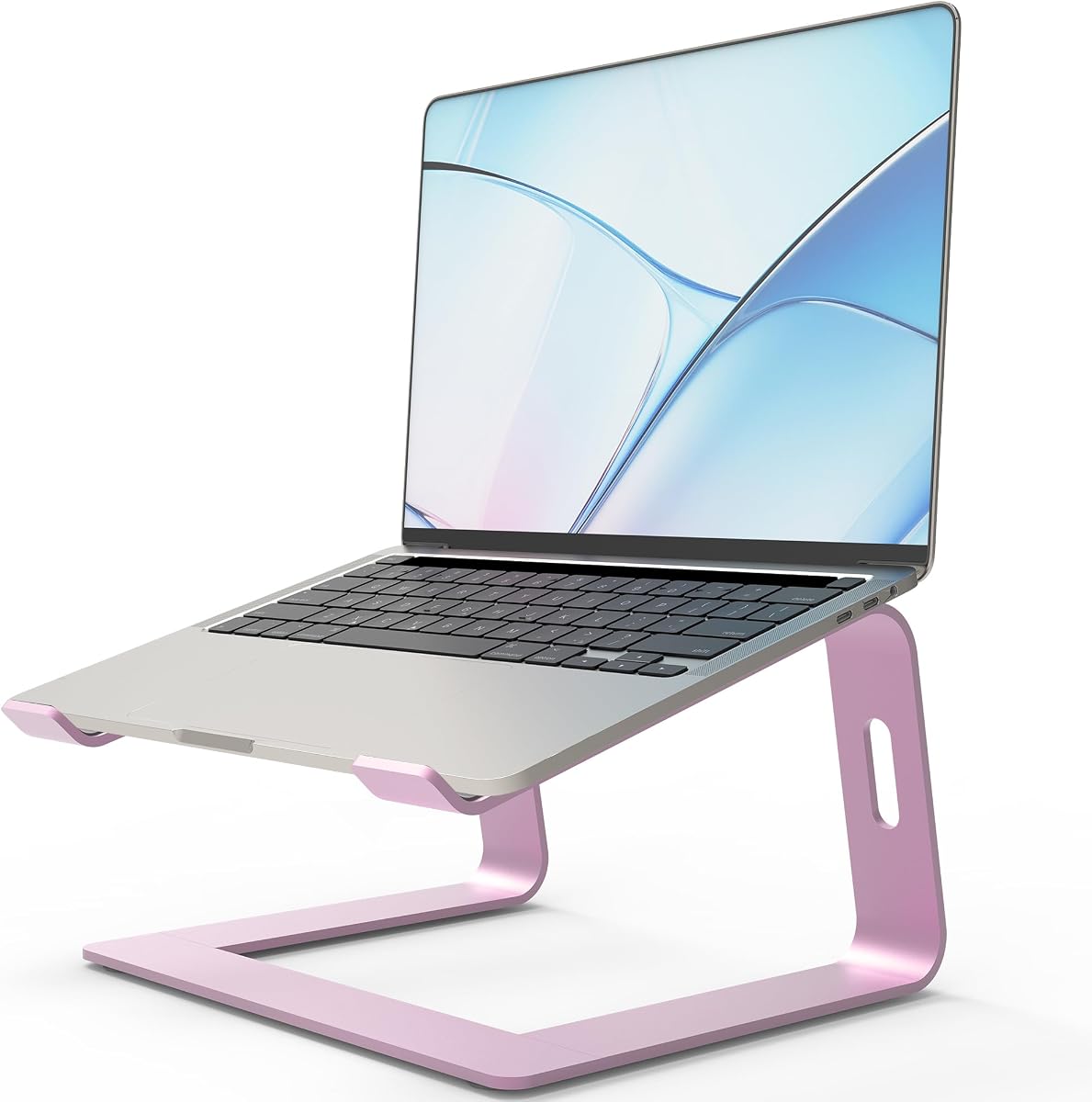


The BESIGN LS03 stands out as a top choice for those seeking a blend of practical ergonomics and a soft pink finish. With a rating of 4.8 stars, it satisfies users who need a reliable riser for their daily tasks. Its standout quality lies in its sturdy aluminum construction that keeps laptops secure without adding bulk.
We may earn a commission when you buy through this link, at no additional cost to you.
This model excels in protecting your health by lifting your laptop screen by 6 inches. This elevation helps you maintain a neutral neck position, reducing the strain associated with hunching over screens. The aluminum material not only looks sleek but acts as a heat sink to keep your device cool during heavy use.
While the design is robust, it does require a bit of assembly since it is detachable. You need to put together three parts before first use, which might be slightly inconvenient compared to foldable options. However, this feature allows it to fold flat for easy storage in drawers or bags.
Anyone looking for a permanent desk solution that matches a feminine aesthetic should consider this stand. It works well for students and professionals who want a clean look without sacrificing stability. The price point is reasonable for the build quality provided, making it a safe recommendation.
By raising your screen to eye level, this stand encourages a healthier sitting position that reduces back pain over time.
The open aluminum design ensures air flows freely underneath your device, preventing overheating during long editing sessions.
We may earn a commission when you buy through this link, at no additional cost to you.
The JCZT stand offers a unique advantage with its ability to change both height and angle to fit your specific needs. Rated at 4.6 stars, it is a favorite for users who attend video calls or need to type at different inclines. The rose pink color is particularly eye-catching and adds a fashionable touch to any setup.
We may earn a commission when you buy through this link, at no additional cost to you.
One of its key strengths is the flexibility provided by the patent alloy shaft technology. This allows you to tilt your laptop for different tasks, such as watching a movie or typing documents. The material is sturdy enough to support up to 17.6 lbs, which covers almost all standard laptops.
However, users should note that stability might vary depending on how high you adjust the stand. While it is robust, typing at the highest angle could introduce slight movement. It is important to test the stability before relying on it for intense typing sessions in a fixed position.
This stand is ideal for people who move around a lot or prefer dynamic working positions. If you want a desk that adapts to your posture throughout the day, this model is worth the investment. The foldable design ensures it does not take up space when not in active use.
Adjusting the angle helps reduce eye strain by aligning the screen with your natural line of sight.
The oxidation process used on the metal ensures the pink color remains vibrant and does not fade over time.
We may earn a commission when you buy through this link, at no additional cost to you.
The Orionstar stand is engineered for simplicity and stability, making it a great choice for clutter-free desks. It holds a strong rating of 4.8 stars, reflecting its reliable performance in home office environments. The standout feature here is the integrated rear hole that keeps charging cords organized and out of sight.
We may earn a commission when you buy through this link, at no additional cost to you.
Its heavy-duty 5mm aluminum construction ensures that it does not wobble even when you are typing vigorously. The large anti-slip silicone pads grip your device securely, which is essential for protecting expensive screens from scratches. This attention to detail makes it a premium feel at an accessible price point.
The assembly process is remarkably easy since it snaps together without needing screws or tools. You can set it up in seconds, which is convenient if you move between rooms. However, the angle is fixed, meaning you cannot adjust it if you prefer a different incline for your specific height.
For users who value organization and a clean workspace, this stand is a top contender. It supports most standard laptops and provides the ergonomic lift needed to reduce neck pain. The combination of utility and style makes it a practical addition to any modern desk setup.
The rear cable hole routes your power cord cleanly, preventing tangles and keeping your desk surface clear.
Silicone pads hold your laptop firmly in place, ensuring it stays safe even if you bump the desk accidentally.
We may earn a commission when you buy through this link, at no additional cost to you.
This portable option is designed specifically for those who are always on the move and need a lightweight solution. With a rating of 4.3 stars, it appeals to travelers and students who prioritize portability. It is incredibly light at only 0.6 lbs, making it easy to toss into a backpack without adding weight.
We may earn a commission when you buy through this link, at no additional cost to you.
The stand features six different height levels, allowing you to customize your view while at a coffee shop or library. It opens and closes in seconds, saving you time when setting up temporary workspaces. The compatibility range is also impressive, supporting laptops up to 17.3 inches in size.
Because it is designed to be so light, it may feel less robust than heavier aluminum stands. It is made with a mix of materials that are durable enough for normal use but might wobble more under heavy typing. It is best used for viewing or light typing rather than heavy data entry.
If you need a stand that travels well and fits in a small bag, this is an excellent choice. It includes a storage bag to protect the stand and keep your bag organized. The value for money is high given its functionality and ease of use on the go.
The origami-style fold allows you to set up your workspace in seconds, which is perfect for short travel stops.
Accommodating laptops up to 17.3 inches means it works for almost any device you might carry with you.
We may earn a commission when you buy through this link, at no additional cost to you.
The LOXP stand introduces a rotating base that makes sharing your screen with others incredibly easy. Rated at 4.6 stars, it is particularly useful for collaborative work or when you want to show something to a neighbor. The rotating feature allows you to turn the laptop to any angle without moving the base.
We may earn a commission when you buy through this link, at no additional cost to you.
Its build quality is exceptional, using one-piece fiber metal material that is durable and stable. This ensures that even with the rotating mechanism, the stand does not wobble excessively during use. The non-slip silicone protects your laptop from sliding and keeps the base firmly planted on your desk.
The added functionality of rotation does make the stand slightly more complex and potentially heavier than fixed models. It is a great investment if you need to pivot your screen often, but it might be overkill for a solo user. The price reflects these extra mechanical features.
For teams or individuals who share information frequently, this stand offers a practical solution. It fits almost all standard laptops and provides a comfortable height to reduce strain. The combination of stability and flexibility makes it a smart addition to a busy office environment.
The rotating base lets you easily turn the screen toward a colleague without picking up the laptop manually.
Despite the moving parts, the fiber metal construction ensures the stand remains steady and reliable during use.
We may earn a commission when you buy through this link, at no additional cost to you.
The OPNICE organizer goes beyond being just a stand by offering additional storage solutions for your desk. With a rating of 4.7 stars, it helps users keep their workspace tidy while maintaining ergonomic viewing angles. The built-in drawer and pen holders make it a multifunctional piece of furniture.
We may earn a commission when you buy through this link, at no additional cost to you.
It elevates both monitors and laptops to a comfortable height, which helps relieve pressure on your neck and shoulders. The two-tier design creates space underneath for keyboards and other accessories, optimizing your desk layout. This is ideal for those who feel cramped by limited desk space.
While it offers great utility, it does occupy a significant amount of desk area due to its size. The drawer is useful for small items but might not hold larger accessories like chargers. If your desk is very small, this might crowd your workspace more than a standard stand.
For anyone needing to organize supplies while improving their posture, this is a comprehensive solution. It blends functionality with a stylish pink design that matches many aesthetic preferences. The value comes from combining a stand with organizational tools in one product.
The integrated drawer keeps essentials like sticky notes and pens accessible, reducing clutter on your main surface.
Designed to hold both laptops and monitors, it adapts to different setups and screen sizes seamlessly.
We may earn a commission when you buy through this link, at no additional cost to you.
The RIWUCT stand is known for its robust aluminum build that keeps your device secure at all times. Rated at 4.7 stars, it is a favorite for users who type heavily and need a rigid platform. The non-slip straps on the hooks add an extra layer of safety against slipping.
We may earn a commission when you buy through this link, at no additional cost to you.
Its ventilation design ensures that air flows freely to prevent overheating during intensive tasks. The bottom storage slot allows you to keep small items like keys or phones close by, adding to its practicality. This makes it a versatile choice for both work and leisure activities.
While it is very stable, the angle is fixed which limits some customization for different viewing heights. If you prefer to adjust the tilt frequently, this might be a minor drawback. However, the height is generally set to a standard ergonomic level that works for most people.
For those who prioritize a sturdy and reliable stand without paying for extra features, this is a great option. The aluminum material gives it a premium look while ensuring durability over time. It is a solid investment for a daily work setup that needs to last.
The combination of a sturdy frame and non-slip straps ensures your laptop stays put even during fast typing.
The built-in storage slot at the bottom keeps small essentials nearby, saving you time searching for them.
We may earn a commission when you buy through this link, at no additional cost to you.
The OMOTON stand is designed for users who want the convenience of a detachable mount without losing stability. With a rating of 4.7 stars, it appeals to MacBook users with its sleek rose gold finish. The detachable design allows you to split it into parts for easy transport or storage.
We may earn a commission when you buy through this link, at no additional cost to you.
It is made of high-quality aluminum that helps dissipate heat, keeping your laptop cool during use. The soft rubber pads are designed to protect your device from scratches, ensuring it stays in pristine condition. This attention to detail makes it suitable for premium devices like MacBooks.
One potential issue is that the detachable parts could get lost if not stored carefully. It is important to keep them together in a safe place when traveling. Despite this, the ease of reassembly makes it a practical choice for those who move their workspace often.
For anyone looking for a stylish and portable option that does not compromise on heat dissipation, this is ideal. The rose gold color adds a touch of luxury to your desk while providing necessary ergonomic support. It is a balanced choice for aesthetics and function.
Disassembling into parts makes it easy to fit into a bag, ensuring you have ergonomic support on the go.
The aluminum material acts as a natural heat sink, helping to prevent overheating during heavy usage.
We may earn a commission when you buy through this link, at no additional cost to you.
The Nulaxy stand is a premium option that offers unmatched stability and support for even the heaviest devices. Rated at 4.8 stars, it is built with thick 5mm aluminum that resists bending or wobbling under pressure. The ability to support up to 22 lbs makes it reliable for all laptop types.
We may earn a commission when you buy through this link, at no additional cost to you.
Its rose gold finish gives it a luxurious look that enhances any workspace setup. The detachable design allows for easy storage without sacrificing the robust build quality. This makes it a great choice for users who want a permanent desk presence that looks expensive.
The main drawback is the higher price compared to standard stands, which might not be necessary for everyone. If your device is not heavy, a cheaper model might suffice. However, if you have a large gaming laptop or a 16-inch workstation, this extra strength is valuable.
For those seeking the highest quality build and a sophisticated appearance, this stand is worth the investment. It provides a safe place for expensive electronics and offers excellent cooling due to the aluminum design. It is a long-term solution for a high-end desk setup.
Supporting up to 22 lbs ensures that even large and heavy gaming laptops stay secure and stable.
The rose gold finish is high quality and adds a touch of elegance that complements premium devices.
We may earn a commission when you buy through this link, at no additional cost to you.
This stand offers extensive height customization with seven adjustable angles to suit your specific posture needs. Rated at 4.4 stars, it is a great choice for users who need flexibility in how they view their screen. The rose gold finish adds a stylish touch to both the look and the feel of the device.
We may earn a commission when you buy through this link, at no additional cost to you.
Its lightweight construction makes it easy to carry in a tote bag or backpack for daily commutes. The included carrying pouch adds to its travel-friendly design, protecting it from scratches. This makes it ideal for students or professionals who work from different locations frequently.
While it is adjustable, it might be less stable at the highest angles compared to heavier stands. This is a trade-off for the portability and adjustability it provides. Users should be mindful of typing carefully when the stand is fully extended.
For anyone who wants multiple viewing options and a stylish look without a high price tag, this is a strong contender. The seven angle adjustments offer versatility that few other stands in this range provide. It balances style and function well for everyday use.
With seven height settings, you can fine-tune the screen position to reduce neck strain effectively.
The ultra-light design and included pouch make it easy to take your ergonomic setup anywhere.
We may earn a commission when you buy through this link, at no additional cost to you.
Choosing the right stand involves balancing aesthetics with practical features that support your health and workflow.
The material of your stand determines its durability and heat dissipation. Aluminum alloy is the most common choice because it is strong yet lightweight and conducts heat away from your laptop effectively. Look for stands with a thickness of at least 5mm to ensure stability without wobbling during typing.
Since you are looking for a girly option, color choice is important for matching your decor. Pink, rose gold, and soft pastels are popular choices that add a touch of personality to your workspace. Ensure the finish is high quality so that it does not fade or scratch easily over time.
An ergonomic stand should elevate your screen to eye level to prevent neck and back pain. Check if the stand offers adjustable angles or a fixed height that suits your needs. A rise of around 6 inches is generally considered optimal for aligning your gaze with the top third of your screen.
Ensure the stand can support the weight of your specific laptop model without sagging. Most standard stands support up to 10 kg, but heavier gaming laptops might need a reinforced option. Stability is key to preventing accidental drops, so look for non-slip pads on the base and hooks.
If you travel frequently or work from different locations, a foldable design is essential. A good portable stand should be lightweight and easy to collapse into a small form factor. Check if it comes with a storage bag to protect it while in transit.
Verify that the stand supports the size of your laptop, typically between 10 and 17 inches. Most modern stands are universal, but some might be optimized for smaller devices. If you use an iPad or a large workstation, confirm the dimensions match before purchasing.
Good airflow is critical to preventing overheating during long sessions. Look for stands with open designs or ventilation holes that allow air to circulate underneath your device. Aluminum acts as a heat sink, but the structure should not block the exhaust vents of your laptop.
Consider how easy it is to set up the stand when you first receive it. Some models require tools or multiple steps, while others snap together instantly. If you plan to disassemble it often, a tool-free design saves time and hassle.
To get started, assemble the stand according to the instructions and place it on a flat, stable surface. Ensure that the non-slip pads are touching the desk to prevent slipping. Slide your laptop into the stand gently, making sure it sits securely on the hooks or pads.
Adjust the viewing angle to a comfortable position where your eyes are level with the top of the screen. This alignment helps reduce neck strain during long work sessions. If your stand is foldable, adjust the legs to the desired height before placing your device on it.
Regularly clean your stand to maintain its appearance and performance. Use a soft, dry cloth to wipe away dust and fingerprints, avoiding harsh chemicals that could damage the finish. Keep the ventilation slots clear of debris to ensure proper airflow around your laptop.
Yes, most stands in this guide are compatible with MacBook Pro models from 13 to 16 inches. They typically feature adjustable arms or hooks that fit various sizes securely. Always check the product specifications to confirm it supports your specific model size.
Using a stand does not void your warranty as long as it does not cause physical damage or block vents. Ensure the stand is stable and has non-slip pads to avoid accidents. Proper usage keeps your device safe and within warranty terms.
Most standard stands support between 10 and 20 pounds, which covers almost all consumer laptops. Heavy-duty models can support up to 22 pounds or more. Check the product weight limit to ensure it handles your device safely.
No, color does not affect durability if the material is the same. Many pink stands are made from high-quality aluminum alloy. Look for oxidation or coating processes that ensure the color stays vibrant and does not scratch easily.
Yes, elevating your screen allows you to use a keyboard on your lap or a separate one. This setup is excellent for ergonomic typing while keeping your screen at the right height. It offers flexibility for different working positions.
Use a microfiber cloth to gently wipe away dust without scratching the surface. Avoid abrasive cleaners or alcohol-based solutions that could damage the coating. Keeping it dry prevents water spots and maintains the aesthetic.
We hope this guide has helped you find the perfect stand that balances style with functionality. Our top picks like the BESIGN LS03 and Nulaxy Full Aluminum offer reliable performance and stunning designs to fit your needs.
Prioritize ergonomics and stability when making your decision to ensure long-term comfort and safety. A good stand should not only look good but also improve your posture and reduce strain during daily use.
Please check the current prices and availability before purchasing since offers can change frequently. Investing in the right stand is a smart move for your health and workspace organization.