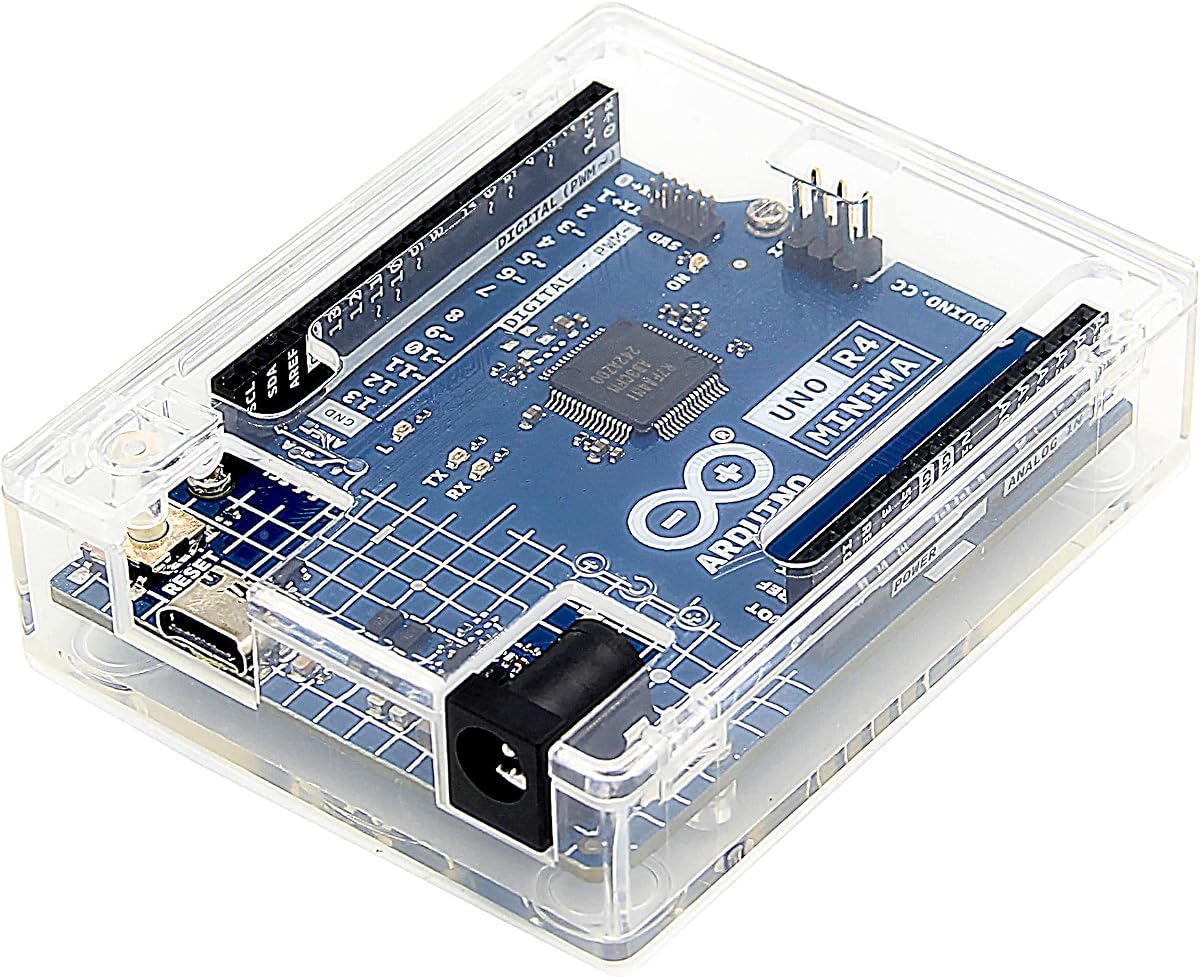
Geekworm UNO R3 Case
4.4Editor score
Lightweight ABS material
Cooling ventilation holes
Includes screws and pads
This guide compares the top Arduino Enclosure options for 2026, evaluating materials, protection ratings, and compatibility to help you choose the right case
Protecting your Arduino projects is essential for longevity and safety. A good enclosure shields sensitive electronics from dust, moisture, and physical impact while maintaining easy access to ports and buttons.
We evaluated ten top-rated enclosures based on build quality, compatibility with Uno boards, and environmental protection ratings. Our analysis focuses on practical features that matter to makers and professionals alike.
Each pick highlights specific strengths like transparency, waterproofing, or modular design. Note that prices and availability fluctuate, so check current listings before purchasing to ensure you get the best deal available today.
4.4Editor score
4.6Editor score

4.0Editor score
The following table provides a side-by-side comparison of all ten enclosures, highlighting key specifications and unique features to help you quickly identify the best match for your needs.


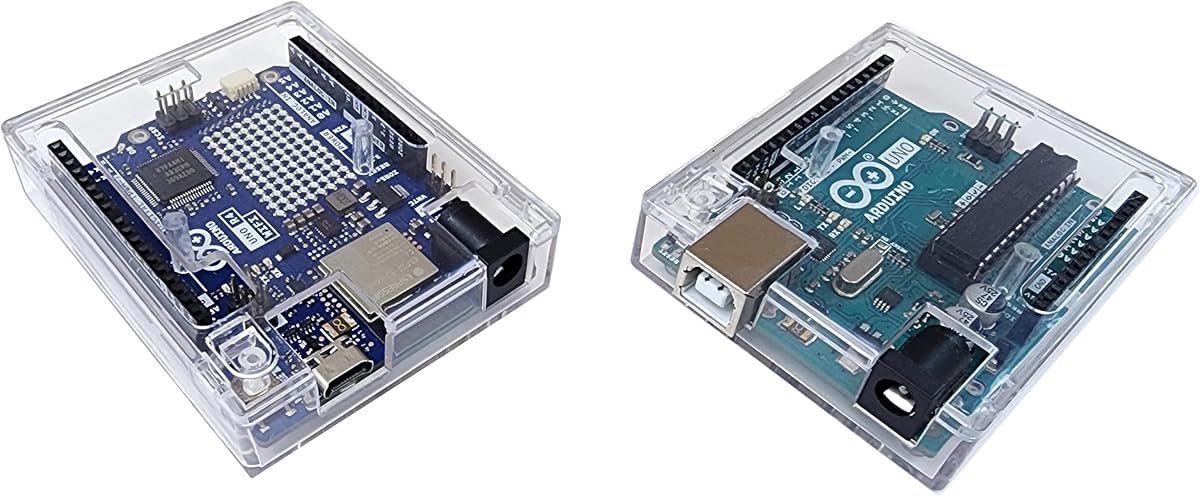
This transparent enclosure is designed specifically for Arduino Uno R3 and R4 WiFi/Minima boards. It offers a clear view of your project while providing solid protection against physical bumps and dust. With a high user rating, it stands out as a top choice for hobbyists.
We may earn a commission when you buy through this link, at no additional cost to you.
The snap-lock assembly makes installation incredibly easy without requiring screws or tools. You simply press the two pieces together with minimal force to secure your board. The external access point ensures you can press the reset button without opening the case.
While it does not offer waterproof protection, it is ideal for indoor projects where visibility is key. The ABS material is durable enough for regular use but may not withstand harsh outdoor conditions. It balances convenience and protection effectively.
Buy this if you want a clean look and quick access to your Uno board. It is perfect for prototyping and indoor displays. Ensure your board matches the R3 or R4 specs before purchasing for the best fit.
The transparent design allows you to check LEDs and connections without opening the case, saving time during debugging.
Snap-lock features mean you can assemble or disassemble the enclosure quickly without needing screwdrivers or extra tools.
We may earn a commission when you buy through this link, at no additional cost to you.
The Geekworm case is a budget-friendly option that delivers solid protection for your Arduino Uno R3. It features a transparent body with ventilation holes to help keep components cool during operation. Users appreciate its simple and functional design.
We may earn a commission when you buy through this link, at no additional cost to you.
It comes with all necessary screws and rubber pads for mounting. The two plus holes and ten minus holes provide excellent airflow, reducing the risk of overheating in enclosed spaces. The net weight is just 21g, making it very portable.
While it lacks premium features like waterproofing, it is perfect for indoor desktop use. The assembly is straightforward, though you will need a screwdriver. It offers great value for money for standard projects.
This case is ideal for beginners or those on a tight budget who still want reliable protection. The included hardware ensures you are ready to mount immediately. Check compatibility if you are using a non-standard Uno board.
The strategic placement of holes ensures air circulation, preventing heat buildup even during long running projects.
Includes four screws and rubber pads so you can install it right out of the box without extra purchases.
We may earn a commission when you buy through this link, at no additional cost to you.
This project box is designed for general electronic use but works well for Arduino projects needing weather protection. Its IP65 rating ensures it can block splashing water and dust effectively. The sturdy build makes it suitable for outdoor or industrial applications.
We may earn a commission when you buy through this link, at no additional cost to you.
The ABS material is impact resistant and can be drilled without cracking. This allows you to customize openings for cables and buttons easily. The internal dimensions provide ample room for the Uno board plus additional components like power supplies.
While it is not a plug-and-play case like others, the ability to modify it is a significant advantage. The sealing gasket helps maintain the waterproof seal after modification. It is a robust choice for long-term installations.
Choose this if your project needs to survive harsh environments. It offers superior protection compared to standard cases. Plan your drilling carefully to maintain structural integrity while accessing necessary ports.
Blocks water, dust, and oil effectively, making it safe for outdoor use in rain or dusty conditions.
The ABS construction allows for easy shaping and hole creation without cracking the box during modification.
We may earn a commission when you buy through this link, at no additional cost to you.
This black plastic enclosure is a classic choice for Arduino Uno R3 users who value functionality. It features an integrated power switch, allowing you to turn the board on and off without disconnecting power. The snap together design ensures a tight fit.
We may earn a commission when you buy through this link, at no additional cost to you.
The case provides tough protection while maintaining access to all connectors. A reset key is included to help you access the reset button easily. Secondary screw-mounting points allow you to secure the board firmly inside the case.
While the design is straightforward, it effectively protects your investment. The black finish looks professional on workbenches. It is a reliable option for those who prefer a simple, no-nonsense protective case.
Buy this if you need a dedicated switch for your Uno board. It simplifies power management. Ensure the reset key is handy for your specific board model to avoid confusion during use.
Eliminates the need for external switches, giving you direct control over power without rewiring or unplugging.
Secondary screw points ensure the board stays fixed even if the case is moved or shaken during transport.
We may earn a commission when you buy through this link, at no additional cost to you.
This larger junction box offers ample space for complex Arduino setups involving multiple modules. The fixed ears make it easy to mount on walls or poles securely. Its IP65 rating ensures reliable protection in outdoor settings.
We may earn a commission when you buy through this link, at no additional cost to you.
The durable ABS material can withstand years of use in various conditions. You can drill and shape it without cracking for custom needs. The sealing gasket helps keep moisture out after you create holes for cables.
While it might be oversized for a simple Uno, it is excellent for expansion. It accommodates larger power supplies or screens easily. The build quality is high, making it a long-term solution.
Select this if you plan to expand your project significantly. The mounting features are very practical for permanent installs. Measure your components carefully to ensure they fit comfortably inside.
Pre-installed ears simplify wall or pole installation, saving you time and effort during setup.
The larger footprint allows for additional sensors and batteries without crowding the internal space.
We may earn a commission when you buy through this link, at no additional cost to you.
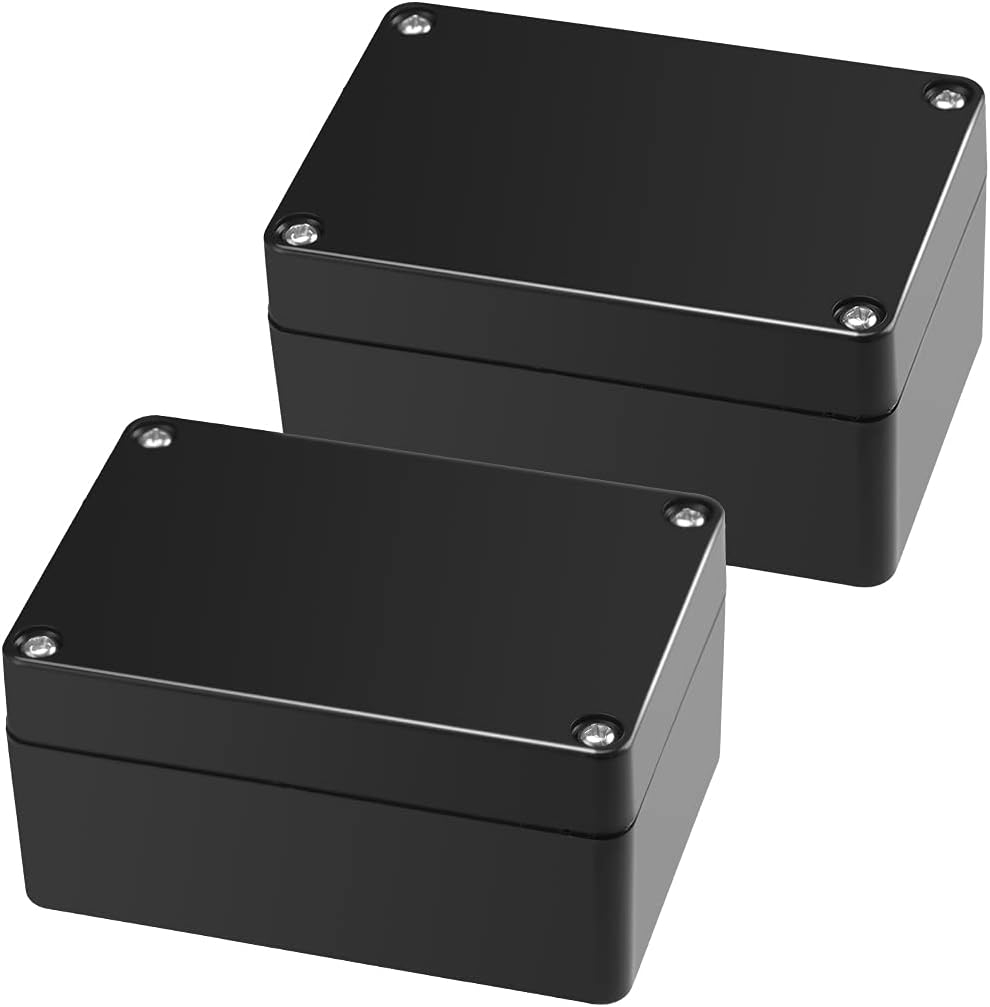
This two-pack offers great value for users managing multiple projects. Each box is compact enough for standard Uno boards but still waterproof. The fixed ears allow for secure mounting in various locations.
We may earn a commission when you buy through this link, at no additional cost to you.
The IP65 rating protects against dust and splashing water effectively. Each box comes with screws and gaskets to ensure a proper seal. They are sturdy enough for DIY customization without cracking during drilling.
While smaller than other options, they are perfect for distributed projects like smart home nodes. You get two units for a reasonable price, reducing the cost per unit significantly. It is a smart buy for scale.
This is ideal if you need several enclosures for a network of devices. The waterproofing ensures reliability across different rooms. Check dimensions to confirm fit for your specific board layout.
Getting two boxes at once is economical for projects needing multiple units or spare protection for future work.
The smaller size is excellent for discreet installations where space is limited but protection is still required.
We may earn a commission when you buy through this link, at no additional cost to you.
This transparent case offers the same practical features as the black version but with visual access. It includes an integrated power switch and reset key for convenience. The snap together design makes assembly straightforward.
We may earn a commission when you buy through this link, at no additional cost to you.
The clear box allows you to see the board status at a glance. It holds the Arduino firmly in place and provides access to all connectors. It is a reliable protective case for daily indoor use.
While the plastic may show fingerprints, it is easy to clean. The switch adds value for frequent on-off cycles. It balances visibility with functionality well.
Buy this if you need to monitor LEDs without opening the case. It is excellent for educational setups. Ensure you have the right tools to secure it properly if using screws.
The transparent material lets you see LED indicators and wiring without disassembling the enclosure.
Provides immediate power control from the outside of the case, improving usability for interactive projects.
We may earn a commission when you buy through this link, at no additional cost to you.
This professional-grade enclosure is built for IoT projects that need to survive outside. It is IP65 dustproof and water-resistant with a rugged plastic structure. The clear top cover allows visibility while maintaining protection.
We may earn a commission when you buy through this link, at no additional cost to you.
It supports various boards like Raspberry Pi and Arduino. The RF-friendly design allows for antenna installation inside or outside. Cable inserts and gaskets ensure a tight seal around wires entering the case.
While it requires some assembly, the included standoffs and screws make it manageable. It is significantly more expensive but offers features cheaper cases do not. It is perfect for commercial or field use.
Choose this for outdoor deployments where reliability is critical. The versatility ensures you can upgrade boards later without changing cases. Verify antenna placement options before buying.
The ABS plastic does not interfere with wireless signals, making it ideal for wireless communication devices.
Built-in silicone gaskets and cable inserts prevent water intrusion around cables and connectors.
We may earn a commission when you buy through this link, at no additional cost to you.
This two-pack of black waterproof boxes offers solid protection for electronic projects. The IP65 rating ensures resistance to dust and water. Each box has screw holes inside for mounting boards securely.
We may earn a commission when you buy through this link, at no additional cost to you.
They are made of sturdy ABS that is easy to drill for LCDs or buttons. The average wall thickness provides durability without being too thick. You can shape them to fit almost any layout.
While not specifically labeled for Arduino, they are versatile enough for most boards. The value of two boxes makes it great for multiple projects. It is a practical choice for custom builds.
This is ideal if you want to design a custom fit for your project. The waterproofing protects sensitive components. Check internal dimensions before purchasing to ensure a tight fit for your board.
Multiple internal screw holes allow you to mount PCBs securely without sliding around inside the box.
Solid ABS material resists impact and allows for easy drilling without cracking the material.
We may earn a commission when you buy through this link, at no additional cost to you.
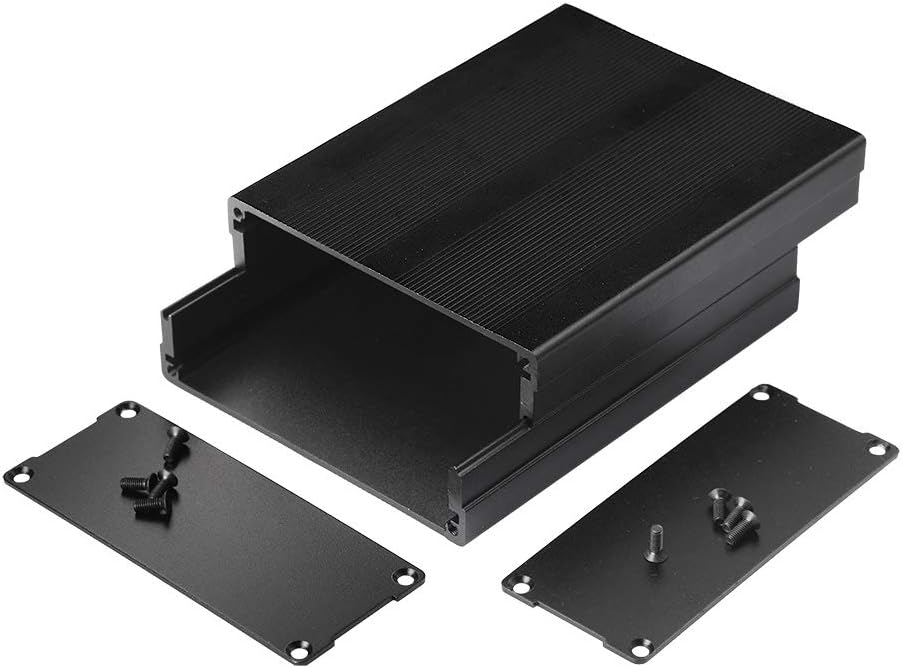
This aluminum enclosure offers premium protection with excellent heat dissipation. The sliding cover design allows easy access to components without removing screws. It provides electromagnetic shielding that plastic cases cannot.
We may earn a commission when you buy through this link, at no additional cost to you.
The sandblast and anodized finish looks professional. Built-in slots hold PCBs securely. It is heavy duty and durable, making it suitable for industrial applications or high-performance electronics.
While heavier and potentially harder to drill than plastic, the benefits are significant for sensitive electronics. The metal body protects against interference effectively. It is a step up from standard plastic options.
Choose this for projects involving high heat or RF interference. The build quality justifies the cost. Ensure you have the right tools to work with metal if customization is needed.
Aluminum naturally draws heat away from components, keeping your Arduino and sensors cooler during operation.
Metal casing blocks external interference and prevents your project from affecting other sensitive electronics.
We may earn a commission when you buy through this link, at no additional cost to you.
Choosing the right enclosure involves balancing protection, accessibility, and aesthetics. This guide walks you through the key factors to consider.
Materials like ABS plastic are lightweight and easy to drill, while aluminum offers better heat dissipation and shielding. Plastic is generally preferred for hobby projects due to ease of customization and lower weight.
Consider plastic for indoor use and metal for high-heat or industrial applications.
IP ratings indicate how well the case resists dust and water. An IP65 rating means the enclosure is dust-tight and protected against low-pressure water jets, suitable for outdoor use. Lower ratings are fine for indoor environments.
Always check the IP rating if your project will be exposed to moisture or dust.
Ensure the enclosure is sized for your specific Arduino model. Some cases fit only the Uno R3, while others are designed for broader ranges including R4 or Mega boards. Measurements inside and out should match your board dimensions.
Verify dimensions before purchase to avoid fit issues that could damage the board.
Snap-lock designs allow for quick installation without tools, while screw-based cases offer a more secure fit. Decide based on how often you need to open the case. Frequent access favors snap designs.
Choose snap-lock for convenience and screws for long-term security.
Some enclosures include built-in cooling holes to prevent overheating. Others are sealed to maintain waterproofing. Consider if your project generates significant heat, such as when running motors or sensors continuously.
Opt for ventilated cases if heat management is a concern for your project.
Fixed ears or screw holes allow you to attach the enclosure to walls or surfaces. If your project is permanent, look for models with dedicated mounting hardware. Portable projects may not need this feature.
Look for mounting ears if wall installation is part of your plan.
Clear cases let you see LEDs and wiring status without opening the box. This is useful for debugging or interactive displays. Opaque cases offer privacy and a sleek look but hide internal components.
Select transparent cases if visual feedback is critical to your project.
Features like integrated power switches or reset keys add convenience. These save space and simplify operation by eliminating external wiring. Check the product description for these specific additions.
Prioritize switches if you need frequent power control without unplugging.
Before installing, measure your board and any sensors to ensure they fit comfortably. For screw cases, mark the drill points on the enclosure before using any tools.
If you need to modify a waterproof case, apply a sealant around new cable holes to maintain protection. Clean the enclosure regularly with a dry cloth to prevent dust accumulation inside.
Store spare parts like screws and gaskets separately so they are ready for future assembly. Avoid placing the enclosure in direct sunlight to prevent material degradation over time.
While some cases are universal, most are designed for specific boards. Check the internal dimensions and mounting holes. A larger case may work with spacers, but a smaller one will not fit. Compatibility is key.
Use a silicone sealant around the edges of the holes. Tighten the screws evenly to compress the gasket properly. This maintains the IP rating and prevents moisture from entering the electronics.
IP65 protects against low-pressure water jets, while IP67 protects against temporary immersion. For outdoor projects facing rain, IP65 is usually sufficient. For potential puddles, IP67 is safer.
Both use similar materials like ABS plastic. Transparency might show scratches more, but structural durability is the same. Both can withstand regular handling if handled with care.
Not always. Snap cases hold boards securely without screws, but screws add extra security. If you transport the project often, using screws prevents shifting inside the case.
Yes, but you will need to drill a hole and seal it. Use a waterproof connector or apply silicone to ensure the seal remains intact. Verify the screen fits before modifying the box.
Rubber pads prevent the case from sliding and protect surfaces from scratches. They also help dampen vibrations in moving projects. They are included for stability and protection.
Yes, for projects needing heat dissipation or shielding. Plastic is cheaper but can melt or interfere with signals. If your project runs hot or uses wireless comms, aluminum is worth the investment.
We reviewed ten excellent options for Arduino protection, from budget-friendly snap cases to rugged outdoor boxes. The transparent enclosure for Uno R3 and the budget Geekworm case are top picks for hobbyists.
Prioritize waterproofing if your project goes outdoors, and look for ventilation if heat is a concern. Compatibility with your specific board model is the most important factor to avoid fit issues.
Remember that prices and stock change frequently. Check the provided links for the latest offers before deciding. A good enclosure ensures your project lasts longer and looks better.