
ASUS Vivobook Laptop 2025
4.1Editor score
24GB RAM plus 1TB storage
Lifetime Microsoft Office included
14-inch FHD NanoEdge display
Business professionals need reliable machines that handle multitasking, security, and portability. The ASUS Business Laptop lineup offers diverse options from lightweight OLEDs to rugged enterprise workstations.
We evaluated each model based on processor power, memory capacity, display quality, security features, and build durability. Our analysis focuses on real-world business needs like video conferencing and data protection.
Each pick highlights key strengths and trade-offs to help you choose wisely. Note that prices and availability change frequently, so verify details before purchasing to ensure the best deal.
4.1Editor score

5.0Editor score

4.8Editor score
As an Amazon Associate we earn from qualifying purchases.
This table provides a side-by-side comparison of all ten models, highlighting key specifications like processor type, memory, storage, and display to help you find the perfect fit.

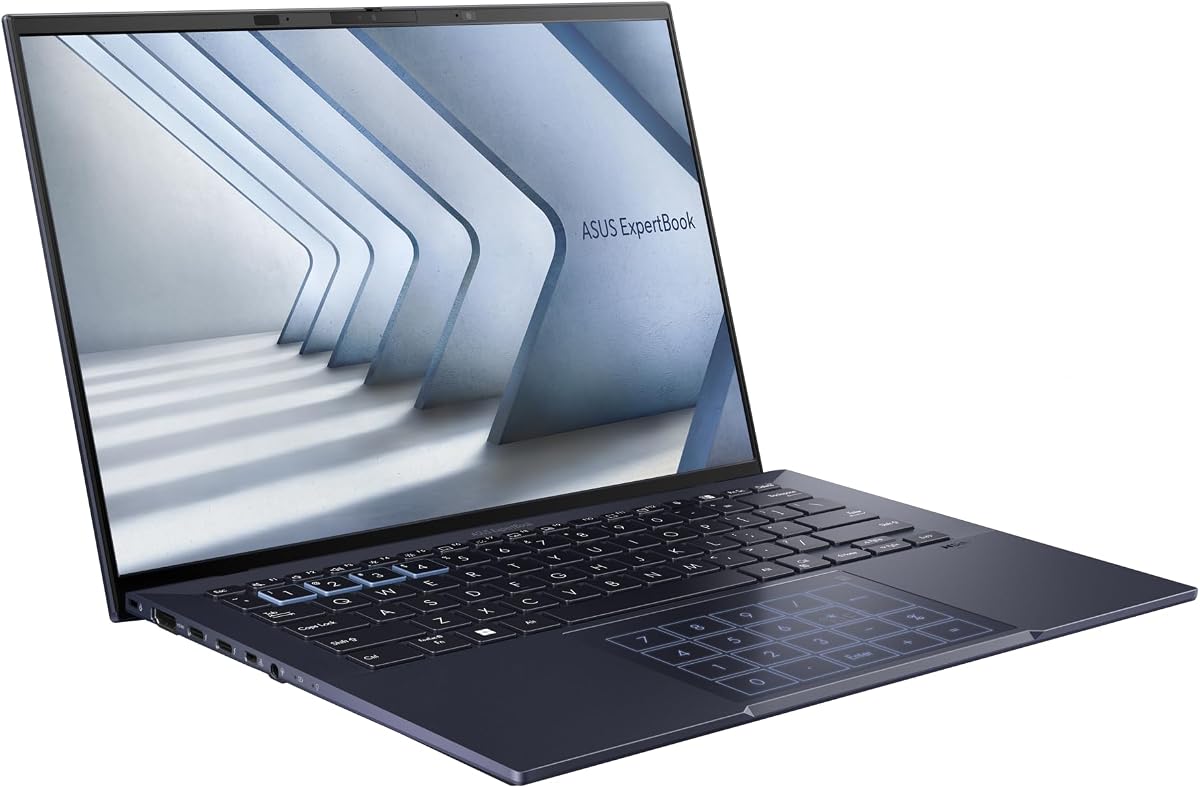


The ASUS ExpertBook B9 OLED stands out as the Editor's Choice for its unmatched balance of portability and visual quality. Rated 5.0 stars, it delivers a premium experience ideal for executives and creatives who value screen fidelity.
We may earn a commission when you buy through this link, at no additional cost to you.
Its world's lightest 14-inch OLED status means you carry less weight without sacrificing performance. The Intel Core 7 processor ensures smooth multitasking, while the OLED panel offers vibrant colors for presentations and media.
Trade-offs include the higher price point compared to standard models and fewer ports on the chassis. However, these are acceptable given the extreme portability and the inclusion of sustainable manufacturing practices.
Business professionals who travel frequently or prioritize visual excellence should buy this model. It is the final recommendation for those seeking the ultimate portable business machine in November 2026.
Weighing just 2.18 lbs, this laptop is designed for daily commuters who need power without the bulk.
ASUS has integrated eco-friendly materials into the product lifecycle, meeting modern corporate sustainability goals.
We may earn a commission when you buy through this link, at no additional cost to you.
The ASUS Vivobook Laptop 2025 earns the Best Budget badge by offering exceptional value with generous RAM and storage. Its 4.1 rating reflects solid performance for small businesses and students on a tight budget.
We may earn a commission when you buy through this link, at no additional cost to you.
It features 24GB of DDR4 RAM which is rare at this price point, allowing seamless multitasking across many browser tabs. The bundle includes a lifetime Microsoft Office license, saving significant upfront costs for offices.
While the storage setup uses an external drive for the full 1TB capacity, this keeps the internal SSD fast and the overall cost low. The included docking station enhances connectivity for office setups.
Small business owners and students needing productivity tools should buy this laptop. It is the final recommendation for maximizing budget without sacrificing essential performance or software licenses.
With 24GB of RAM, you can run heavy applications and dozens of tabs simultaneously without slowdowns.
The lifetime Microsoft Office Professional Plus license means you never pay for software updates again.
We may earn a commission when you buy through this link, at no additional cost to you.
The ASUS ExpertBook B3 secures the Best Premium badge with its top-tier AI capabilities and enterprise security features. Rated highly, it supports demanding workflows requiring intensive processing and robust data protection.
We may earn a commission when you buy through this link, at no additional cost to you.
Powered by the Intel Core Ultra 5 processor with NPU, it handles AI workloads efficiently. The 32GB RAM ensures smooth performance during complex tasks like data analysis or video rendering.
Though the 16-inch size makes it less portable than smaller models, the military-grade durability justifies the trade-off for field work. The sustainable build using recycled materials also appeals to eco-conscious companies.
Enterprises and power users needing maximum performance and security should buy this laptop. It is the final recommendation for those prioritizing long-term reliability and advanced AI features.
The Intel AI Boost NPU handles AI workloads, boosting office multitasking efficiency for business use.
Built-in TPM 2.0 and fingerprint reader safeguard confidential data against unauthorized access.
We may earn a commission when you buy through this link, at no additional cost to you.
The ASUS ExpertBook B1 delivers reliable computing power with AI-enhanced productivity technology. It maintains a high rating for its ability to streamline daily office workflows effectively.
We may earn a commission when you buy through this link, at no additional cost to you.
It features 32GB of RAM which supports intense multitasking. The ExpertCool system keeps temperatures stable, avoiding overheating during prolonged operations like long meetings or large file processing.
Trade-offs include the absence of a fingerprint reader compared to other models and a heavier chassis. However, the full I/O port selection offers flexibility for connecting external devices without adapters.
Business users needing extensive connectivity and high memory should buy this laptop. It is the final recommendation for those who prefer traditional ports and reliable thermal performance.
Built-in ExpertCool technology ensures steady performance under prolonged business operation without overheating.
Retains dual USB Type-C, USB Type-A, RJ45, and HDMI ports for flexible business expansion.
We may earn a commission when you buy through this link, at no additional cost to you.
The ASUS ExpertBook BLACK 14 offers professional performance with a stunning OLED display. Its ultralight magnesium-lithium alloy chassis makes it easy to carry for daily business travel.
We may earn a commission when you buy through this link, at no additional cost to you.
The 2.8K HDR display delivers vivid visuals perfect for presentations. With 16GB RAM and 1TB storage, it handles documents and media smoothly. The 180-degree hinge allows flexible viewing angles.
Trade-offs include the premium price tag associated with OLED technology. Additionally, battery life may vary under heavy graphical loads compared to standard IPS models.
Professionals needing high-quality visuals should buy this laptop. It is the final recommendation for those who prioritize screen quality in a portable business machine.
The 14-inch 2.8K OLED HDR display offers narrow bezels and vibrant colors for immersive viewing.
Constructed with magnesium-lithium alloy, this laptop weighs only 2.18 lbs for easy transport.
We may earn a commission when you buy through this link, at no additional cost to you.
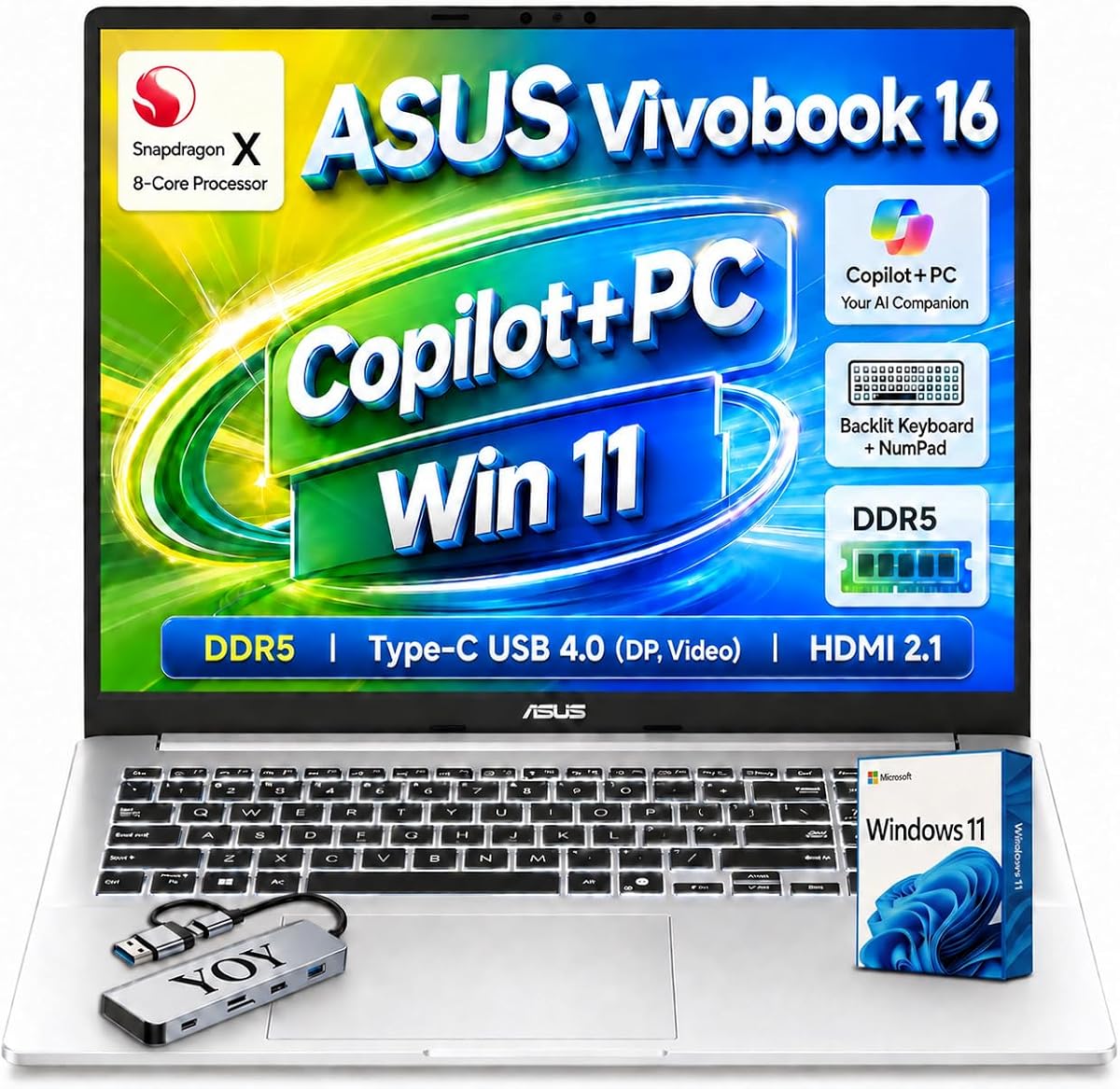
The ASUS Vivobook 16 Snapdragon offers next-gen Copilot+ PC power with its Snapdragon X processor. It supports compatible AI workloads with efficient energy use for everyday tasks.
We may earn a commission when you buy through this link, at no additional cost to you.
It features 16GB LPDDR5X onboard memory with a PCIe Gen 4 SSD for responsive multitasking. The Full HD IR camera supports Windows Hello for convenient facial sign-in and meetings.
Trade-offs include the heavier chassis compared to smaller models and potential adaptation time for new ARM architecture. However, the battery life is generally good due to efficient power usage.
Users wanting next-gen AI features should buy this laptop. It is the final recommendation for those looking for modern capabilities and efficient performance.
Combines Windows 11 with next-generation AI capabilities for smarter everyday computing.
USB4 and HDMI 2.1 support multi-monitor connectivity ready for your devices.
We may earn a commission when you buy through this link, at no additional cost to you.
The ASUS Vivobook 16 2026 combines modern Intel power with practical business tools. Its high rating indicates strong performance for creative and administrative tasks alike.
We may earn a commission when you buy through this link, at no additional cost to you.
The 10-Core Intel Core i7 processor offers machine intelligence for responsiveness. The 16-inch display provides a larger workspace for spreadsheets and presentations comfortably.
Trade-offs include the reliance on an external drive for the full storage capacity and standard battery life. However, the included bundle adds significant value for office setups.
Business users needing a large screen should buy this laptop. It is the final recommendation for those who value display size and processing power.
Up to 5.0 GHz Max Boost Clock with 12MB cache enables ultimate performance for design and creation.
SonicMaster tuned speakers deliver immersive sound for music, movies, and calls.
We may earn a commission when you buy through this link, at no additional cost to you.
The ASUS Vivobook 16 Ryzen offers powerful performance with an AMD Ryzen 7 processor. It achieves a 5.0 rating for its effective multitasking and storage capabilities.
We may earn a commission when you buy through this link, at no additional cost to you.
The Zen 3 Gen Ryzen 7 7730U delivers up to 4.5 GHz speeds. 16GB DDR4 RAM ensures smooth operation for daily business applications and media.
Trade-offs include the Windows 11 Home OS instead of Pro. However, the hardware upgrade and included USB hub provide excellent value for small businesses.
Users seeking affordable power should buy this laptop. It is the final recommendation for those who want high performance on a budget.
Powerful Performance with AMD Ryzen 7 7730U Octa Core for efficient computing.
16GB RAM and 1TB SSD provide high speed and multitasking capabilities.
We may earn a commission when you buy through this link, at no additional cost to you.
The ASUS Vivobook 16 Upgraded offers similar Ryzen performance to the previous model. Its rating reflects mixed feedback regarding build quality and warranty terms.
We may earn a commission when you buy through this link, at no additional cost to you.
It shares the Ryzen 7 7730U processor and 16GB RAM for consistent speed. The 1TB storage ensures ample space for files. The fingerprint sensor adds convenience.
Trade-offs include the Windows 11 Home OS which lacks some enterprise features. Additionally, the lower rating suggests potential variability in quality control.
Users needing specific hardware specs on a budget should buy this laptop. It is the final recommendation for those who prioritize raw performance over OS features.
Powerful Performance with AMD Ryzen 7 7730U Octa Core for daily tasks.
Enormous Storage with 1TB PCIe NVMe SSD for ample space.
We may earn a commission when you buy through this link, at no additional cost to you.
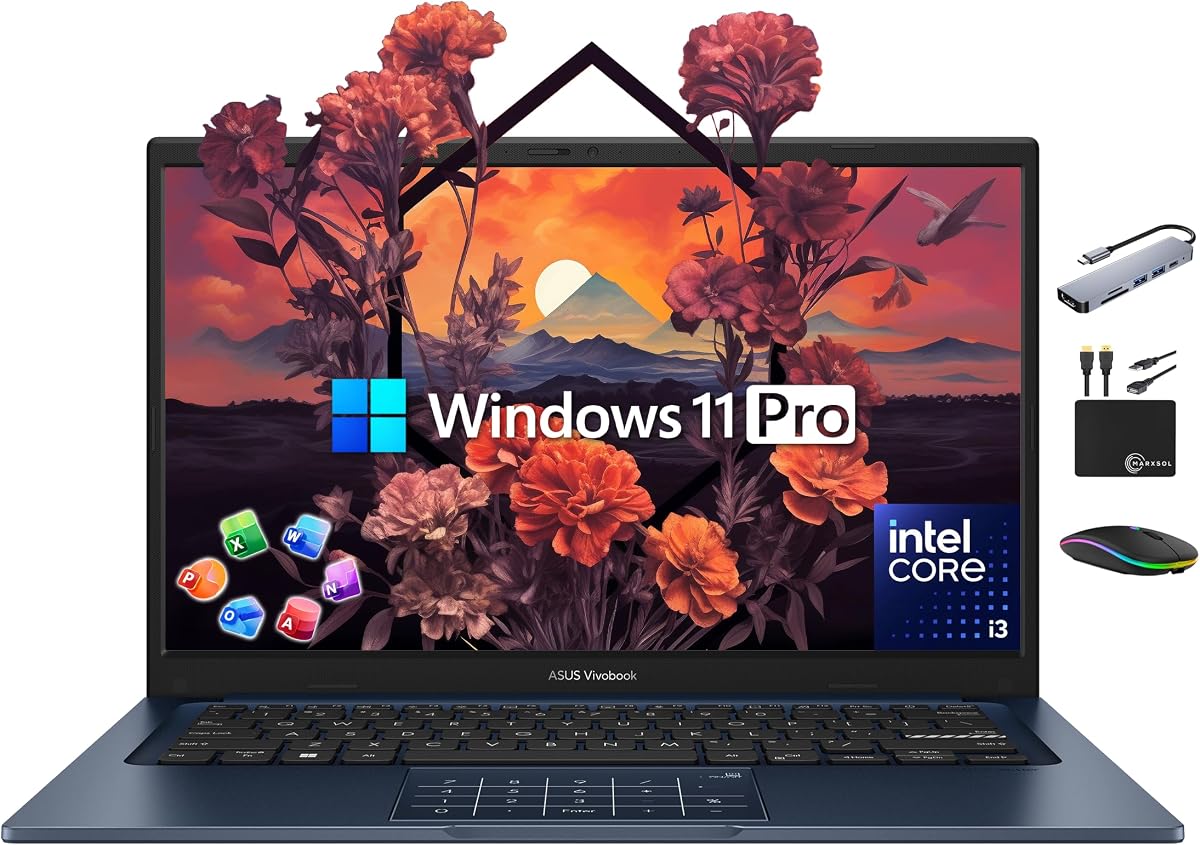
The ASUS Vivobook 2025 Portable offers essential business features at an entry level. It balances basic processing power with high RAM to handle daily tasks.
We may earn a commission when you buy through this link, at no additional cost to you.
The 6-Core Intel i3 processor supports productivity needs. 24GB RAM ensures smooth browser tab switching and Office apps. The 14-inch display is compact for travel.
Trade-offs include the limited processing power for heavy tasks. However, the included lifetime Office license provides long-term savings for small businesses.
Light users needing a portable office machine should buy this laptop. It is the final recommendation for entry-level business needs and frequent travel.
The Intel Core i3-1315U enables productivity and play with 6 cores and 8 threads.
Integrated privacy shield slides over the webcam for instant privacy.
We may earn a commission when you buy through this link, at no additional cost to you.
Selecting the right business laptop involves balancing performance, portability, security, and budget. This guide outlines key factors to consider for your specific needs.
Business tasks like video conferencing and data analysis require efficient processing. Look for Intel Core i5 or higher, or AMD Ryzen 5 and above for smooth operation. AI-enabled processors offer future-proofing.
Prioritize at least 10 cores for multitasking heavy workloads.
RAM determines how many applications you can run simultaneously. Aim for 16GB minimum, or 32GB for heavy multitasking. Storage should be a fast SSD, with 512GB or 1TB preferred.
More RAM ensures smoother performance during peak business hours.
A clear, anti-glare display reduces eye strain during long sessions. OLED offers better colors for presentations but standard IPS is often sufficient. Larger screens improve productivity but reduce portability.
Choose 1080p or higher resolution for sharp text.
If you travel often or work in tough environments, look for MIL-STD-810H certification. This guarantees resistance to shock, drops, and temperature extremes. Built-in security features like TPM are essential.
Military-grade builds ensure reliability in field work.
Business laptops must protect sensitive data. Look for fingerprint readers, privacy shutters, and TPM chips. Secure-core PC support adds another layer against firmware attacks and malware.
Always prioritize hardware-based isolation for data safety.
Consider how often you carry the laptop. Models under 3 lbs are ideal for daily commuting. Smaller screens like 14-inch offer portability, while 16-inch offers more workspace.
Weight impacts daily comfort during travel significantly.
Adequate ports prevent the need for dongles. Look for USB Type-C with Thunderbolt, HDMI, and RJ45 Ethernet. Wi-Fi 6E ensures stable and fast wireless connections.
Check I/O compatibility before purchasing to avoid accessories.
Windows 11 Pro is standard for business management tools and encryption. Ensure the machine includes essential software or bundles like Microsoft Office to save upfront costs.
Pro editions offer better remote management features.
Set up your business laptop by configuring Windows security features like BitLocker encryption. Use TPM and fingerprint readers for quick yet secure logins. Organize work files using OneDrive for cloud backup.
Maintain thermal performance by keeping air vents clear. Use the ExpertCool technology to manage heat effectively. Keep the device on hard surfaces during operation. Use software tools to monitor battery health.
Regularly update drivers and BIOS through the ASUS Support Center. Install security patches immediately. Use the included privacy shutter when not using the camera. Clean the screen with microfiber cloth.
Models with 32GB RAM like the ExpertBook B3 and B1 are capable. The Vivobook 16 with Ryzen also handles light editing well. For heavy workloads, ensure you have a dedicated GPU or sufficient RAM.
Yes, most modern ASUS hardware supports Linux installations. However, proprietary drivers for Wi-Fi or graphics may require setup. Windows 11 Pro is recommended for full compatibility with business tools.
Some models like the Vivobook allow storage upgrades. However, many business models have soldered RAM to maintain thin profiles. Check specific specs before purchasing to confirm upgradeability.
Battery life ranges from 6 to 12 hours depending on usage. Models with AI optimization often last longer. Avoid heavy video workloads to extend battery life.
ASUS offers various warranty tiers including accidental damage protection. Check the product listing for specific warranty terms. Extended plans are available for enterprise purchases.
Yes, all models listed come with Windows 11 Pro or Home. Some bundles include lifetime Microsoft Office. Verify the OS version before purchasing.
The ASUS ExpertBook B9 OLED stands out for portability and display quality. The Vivobook Laptop 2025 offers incredible value with bundled software. The ExpertBook B3 provides premium features for demanding tasks.
Prioritize RAM and security features to match your work intensity. If you travel often, choose a 14-inch model with military durability. For power users, look for 32GB RAM and AI capabilities.
Prices and availability change frequently, so verify the current details before purchasing. Choose the model that best fits your daily workflow needs for the best return on investment.